Everyday Ghidra


This course provides a comprehensive guide to using Ghidra, covering fundamental operations to advanced techniques, with hands-on exercises on real-world Windows applications. It’s designed for those with foundational Windows and security knowledge, aiming to equip them with practical “everyday” reverse engineering skills using Ghidra.
Track: Manual-First — Build the RE craft by hand first; AI accelerators arrive in Part 5 once fundamentals are solid. This is the recommended starting point for the Manual-First Track.
Reverse Engineering
Reverse engineering is a technique to understand the workings of software or hardware, often applied to enhance security or compatibility. It is fun, rewarding, and always challenging, especially when dealing with modern Windows closed-source binaries. Enter Ghidra, a robust software reverse engineering framework created by the NSA for in-depth analysis of complex binaries. Ghidra can help you perform in-depth analysis of Windows binaries using its rich set of features and tools. Whether you want to reverse engineer malware, understand software internals, or find vulnerabilities, Ghidra can handle it.
Upcoming Courses
- 📅 Browse Upcoming Events — Find the next in‑person or virtual session that fits your schedule.
Everyday Ghidra Radar
Radar Explanation: Everyday Ghidra emphasizes Reverse Engineering fundamentals (95) with minimal automation and introduces AI after teaching the fundamentals. It’s designed as a beginner‑friendly launchpad, focusing on manual craft and core workflows.
To find out which course is right for you, check out our training pathways.
Abstract
This intensive, hands-on course is the definitive guide to mastering Ghidra for real-world Windows reverse engineering and vulnerability research. Designed for students with foundational Windows and security knowledge, it rapidly builds systematic, repeatable workflows that you can use every day—whether analyzing malware, hunting vulnerabilities, or supporting incident response.
Windows Reverse Engineering
Starting with Ghidra fundamentals and essential Windows internals, you’ll progress through structured static and dynamic analysis, acquiring and preparing real-world binaries, defining custom data types, scripting repetitive tasks, and aligning decompiler output with live debugging (WinDbg + Ghidra integration).
Vulnerability Discovery
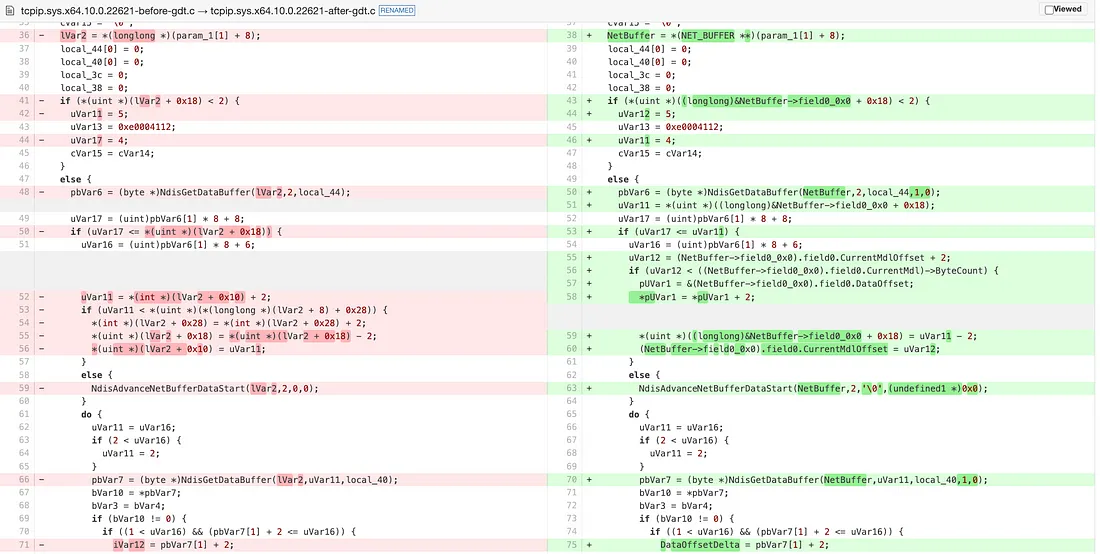
The course then introduces patch diffing and vulnerability root cause analysis: you’ll learn to systematically identify security-critical code changes across versions, trace bugs to their origin, and develop both defensive mitigations and offensive discovery techniques using real CVEs as guides.
AI-Augmented Analysis
The training concludes with cutting-edge AI-assisted reverse engineering, showing you how to feed perfect Ghidra context and ground truth into large language models to dramatically accelerate analysis, automate tedious steps, and uncover insights that were previously out of reach.
By the end, you’ll walk away with battle-tested, reproducible Ghidra workflows, custom scripts, and the confidence to tackle any Windows binary independently—no expensive tools required.
Course Outline
Part 1: Introduction to Reverse Engineering With Ghidra
- Getting Started with Ghidra
- Import, Analyze, Repeat
- Windows Security Concepts
- Managed vs. Native Binaries
- Ghidorah: Taming the Three-Headed Dragon
- Code Browser, Debugger, and Version Tracking
Part 2: Reverse Engineering Windows Binaries - Static
- A Practical Reverse Engineering Workflow
- Setting Reverse Engineering Goals
- Binary Acquisition and Analysis Improvements
- Building Custom Ghidra Data Types
- Reversing Windows Malware
Part 3: Reverse Engineering Windows Binaries - Dynamic
- Ghidra Debugger Overview
- Debugging an Application
- Pretending All Binaries Come with Source
- Debugging a Windows RPC Service & RPC Call
- Case Study: Reversing Petitpotam (NTLM Authentication Bypass)
- Tools: RPCview, NtObjectManager, System Informer, Sysinternals
Part 4: Patch Diffing and Root Cause Analysis of Windows CVE
- Patch Diffing in Ghidra
- Finding and Analyzing a CVE
- Patch Diffing Windows Binaries
- Hunting for Vulnerabilities and Finding the Root Cause
- Building a Trigger Proof-of-Concept
Part 5: Explore AI-Assisted Reverse Engineering (Vibe Reversing)
- Introduction to LLMs and Reverse Engineering
- Deploying Your Own Local LLM for RE
- Interacting with LLMs: Capabilities & Constraints
- GhidraMCP - The Model Context Protocol (MCP)
- Setting Up the Ghidra-LLM Integration Stack
- Tool Calling for Ghidra Automation
- Practical AI-Assisted Analysis
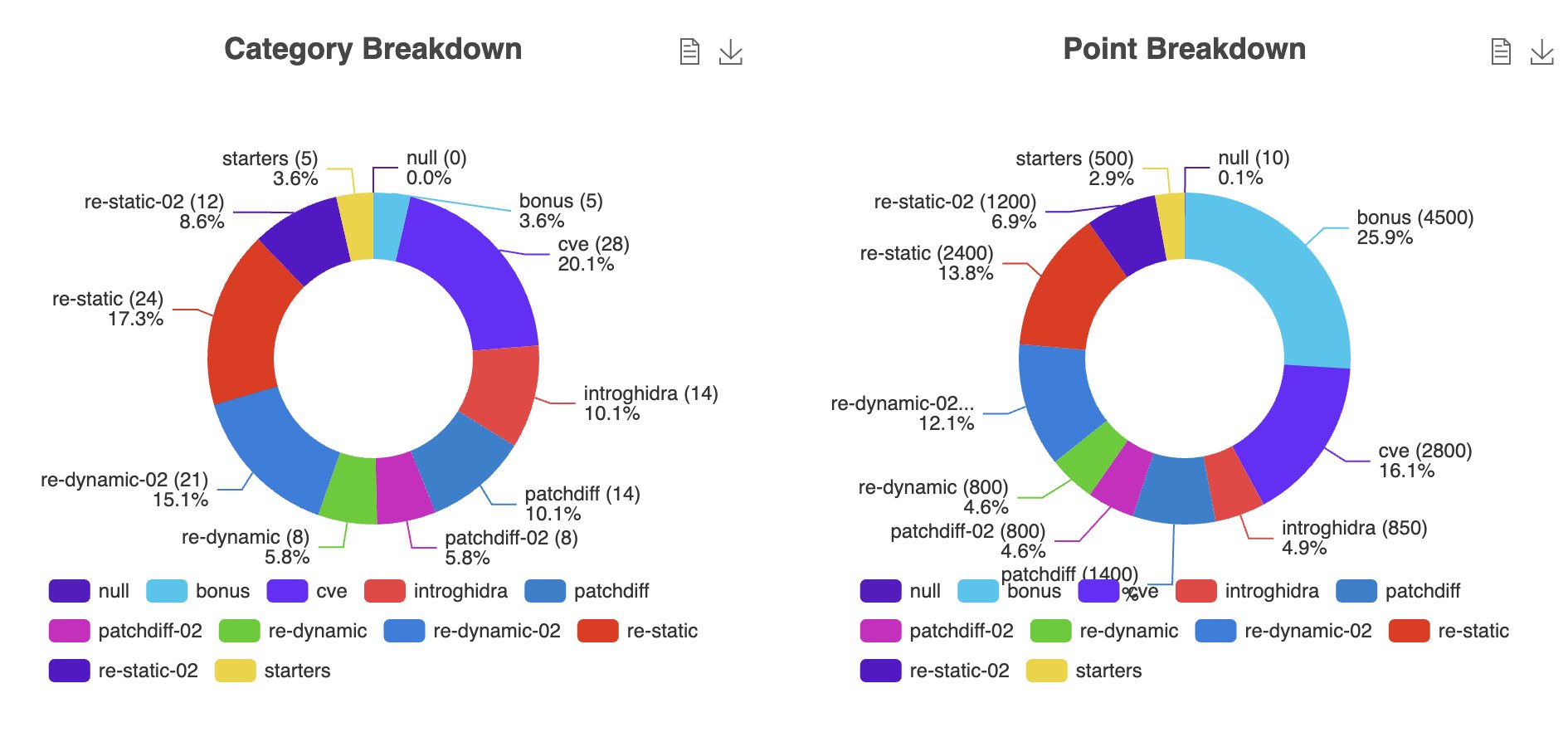
CTF
Intended Audience
- Cybersecurity Professionals: Ideal for those advancing their skills in reverse engineering and malware analysis on Windows.
- Software Developers: A deep dive into Windows internals for enhanced understanding.
- Vulnerability Researchers: Hands-on experience with Ghidra for identifying and analyzing vulnerabilities in Windows binaries.
Key Learning Objectives
- Ghidra Proficiency: Master static and dynamic analysis of Windows binaries.
- Tool Mastery: Leverage Ghidra’s Code Browser, Debugger, and Version Tracking for complex reverse engineering tasks.
- Enhanced Analysis Techniques: Create custom data types and utilize Ghidra’s PDB support for deeper insights.
- Malware Behavior Identification: Reverse engineer Windows malware, recognizing persistence and network communication tactics.
- Vulnerability Assessment: Analyze patch differences to identify security updates in Windows binaries.
- Dynamic Debugging: Develop skills to dynamically debug Windows applications for live problem-solving.
- AI Assisted Reversing: Harness LLMs with perfect Ghidra context to accelerate binary analysis, automate tedious tasks, and uncover hidden insights.
Practical Exercises
- Reverse Engineering Windows Malware: Perform static analysis on malware samples to uncover persistence, network activity, and obfuscation techniques.
- Dynamically Debugging a Windows RPC Server: Gain insight into Windows RPC and apply dynamic inspection using Ghidra’s Debugger.
- Patch Diffing & Root Cause Analysis of a Windows CVE: Compare Windows binary versions to track security fixes and understand vulnerability exploitation.
- Explore AI-Assisted Reverse Engineering: Build and configure a local AI Ghidra automation stack to enhance reverse engineering workflows. Gain practical insights into AI-assisted analysis aka 'vibe reversing' for Windows applications, exploring both the advantages and limitations of integrating AI into reverse engineering."
Instructor
John McIntosh
John McIntosh (@clearbluejar) is a security researcher at ClearSecLabs specializing in reverse engineering and offensive security. He's known for his expertise in binary analysis, patch diffing, and vulnerability discovery, and has developed multiple open-source tools for vulnerability research.
With over a decade of experience and a strong presence at international security conferences, John brings deep technical insight and a passion for collaborative learning to every course.
Knowledge Prerequisites
- Basic Knowledge of Windows: Familiarity with the Windows operating system and its core functionalities.
- Understanding of Security Principles: A foundational grasp of cybersecurity concepts and practices.
- Assembly Language Basics: An introductory understanding of assembly language or familiarity with programming in C.
- Debugging: Experience debugging software applications
Related RE content from the instructor:
- https://clearbluejar.github.io/posts/from-ntobjectmanager-to-petitpotam/
- https://medium.com/@clearbluejar
- https://clearbluejar.github.io/posts/decompilation-debugging-pretending-all-binaries-come-with-source-code/
- https://cve-north-stars.github.io/
System Requirements
Hardware
- Intel 64-bit i7+ (or equivalent) Laptop with 16GB+ RAM
- 80 GB disk space
- Ability to run Intel based VM similar to https://developer.microsoft.com/en-us/windows/downloads/virtual-machines/
Software
- VMware Workstation (Free download)
What Students Will Be Provided With
- Course slides / Training materials
- Virtual machines with all the labs
- Resources for further learning
- Access to course CTF server during and beyond the course
- Access to instructor(s) via Discord during the course and beyond
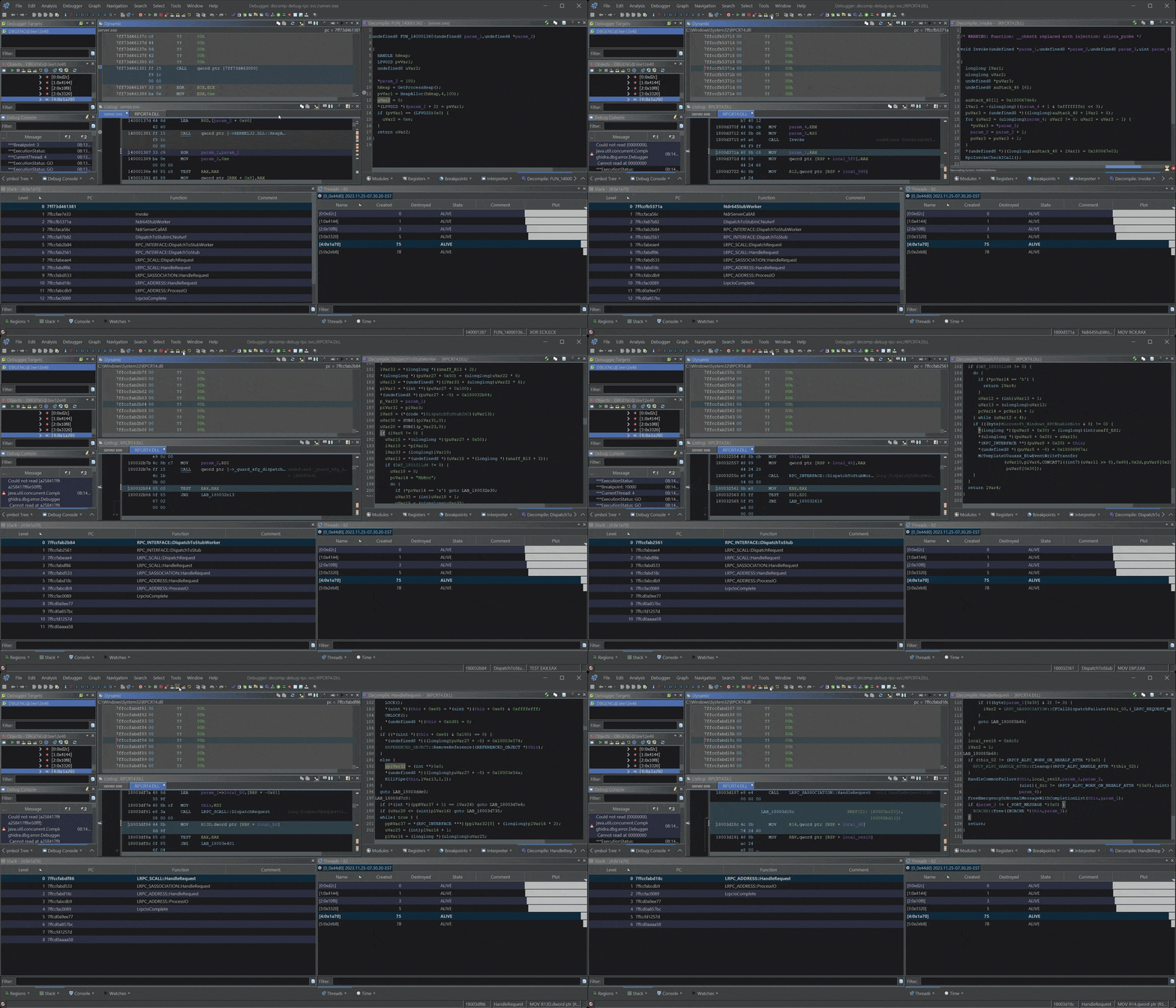
Learn Ghidra's Decompilation View
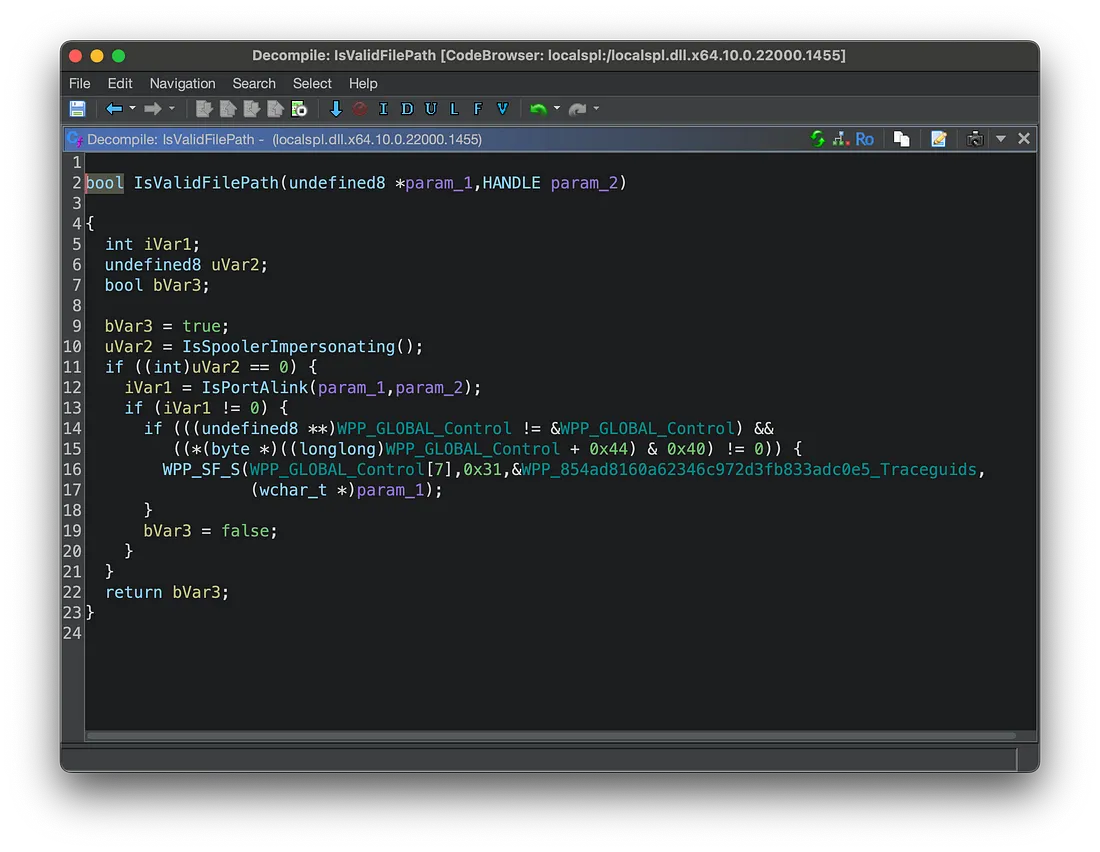
Ghidra Decompilation Debugging
Build Custom Data Types to improve your RE!